On the Zignyl platform, logging into the Management Portal via app.zignyl.com will show you the following screen:
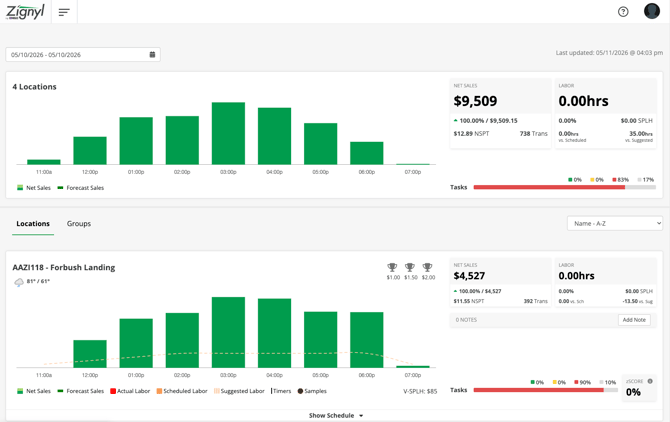
This screen, also referred to as the main dashboard, is the summary of what happened in your business for the time range selected. It combines most of the information that is collected within our system, and presents a composite view of what you should be looking at for your business.
A quick breakdown of all the different elements:
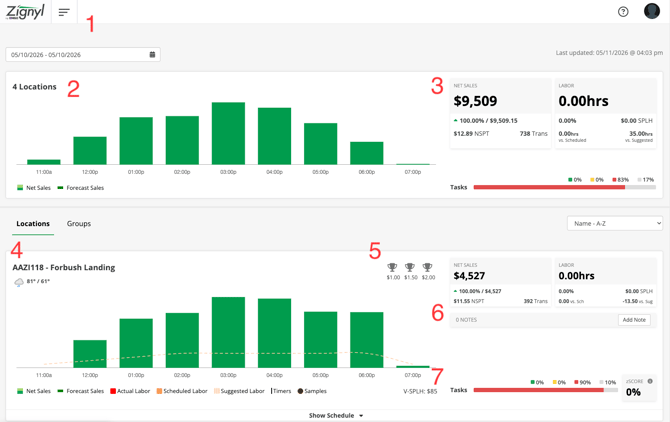
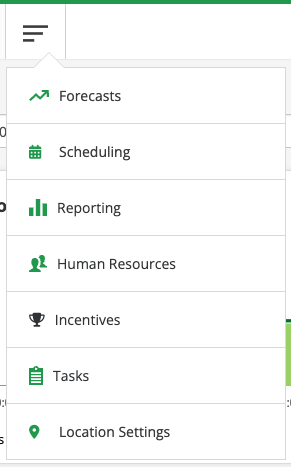
1. The Hamburger Menu - this dropdown menu contains all of the menu selections shown below, from Forecasts, Scheduling, Reporting, Human Resources, Incentives, Tasks, and Location Settings: